Your child opens YouTube to watch one nasheed.
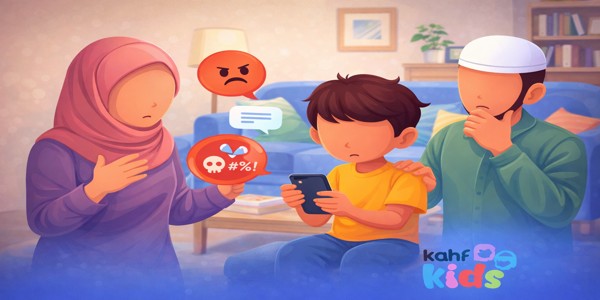
Five minutes later, the screen shows random videos, violent game clips or an ad you never agreed to. If that sounds familiar, you are not alone.
This guide shows you how to block YouTube on a kids phone with Kahf Kids, step by step. It also covers the built-in options on Android and iPhone, the browser gap most parents miss, and what to give your child instead.
To block YouTube on a kids phone with Kahf Kids, open the Parental Dashboard, tap App Blocker, then Block Apps. Open the Entertainment or Search category, select YouTube, then go back and check it shows as blocked.
Can You Block YouTube on a Kids Phone?
Yes. There are three main ways to block YouTube on a kids phone.
- A parental control app like Kahf Kids.
- The phone’s own controls: Google Family Link on Android or Screen Time on iPhone.
- A block on your Wi-Fi router.
Each one stops the app from opening. None of them work well unless you also check the web browser.
Blocking is different from limiting. A limit gives your child a set number of minutes. A block stops YouTube from opening at all.
Many families start with a full block. Some allow a small, supervised amount later. Both choices are fine. What matters is that you choose, not the algorithm.
Why Parents Block YouTube on Kids Phones
YouTube is built to keep children watching. It also decides what they watch next.
The time adds up fast. Ofcom’s Children and Parents report, published 21 May 2026, found that UK children aged 4 to 15 spend an average of 7 hours 7 minutes a week on YouTube.
These are the reasons Muslim parents give most often:
- Autoplay. One video ends and the next one starts. Your child does not choose it.
- Recommendations. The algorithm learns what holds attention. It does not check your family’s values.
- Harmful videos. Violence, scary clips and videos from violent games can show up in a child’s feed. Hours of this can also lead to YouTube addiction in kids.
- Ads. Children see ads for games, products and content that do not fit your family’s values.
- Open search. Music, immodest content and violent clips are a few taps away.
- Comments. Strangers can reply under videos. Some comments are cruel.
- Age rules. YouTube’s Terms of Service say users must be at least 13, unless a parent or guardian enables access.
That last point is often missed. The same Ofcom report found 83% of parents know most social media platforms have a minimum age. Only 32% correctly named it as 13.
For the bigger picture, see our guide to screen time for kids.
How to Block YouTube on Kids Phone With Kahf Kids (Step by Step)
Kahf Kids lets you block YouTube on a kids phone from the Parental Dashboard. It takes about a minute.
First, download Kahf Kids from the homepage and set it up on your child’s phone. Then follow the path below.
-
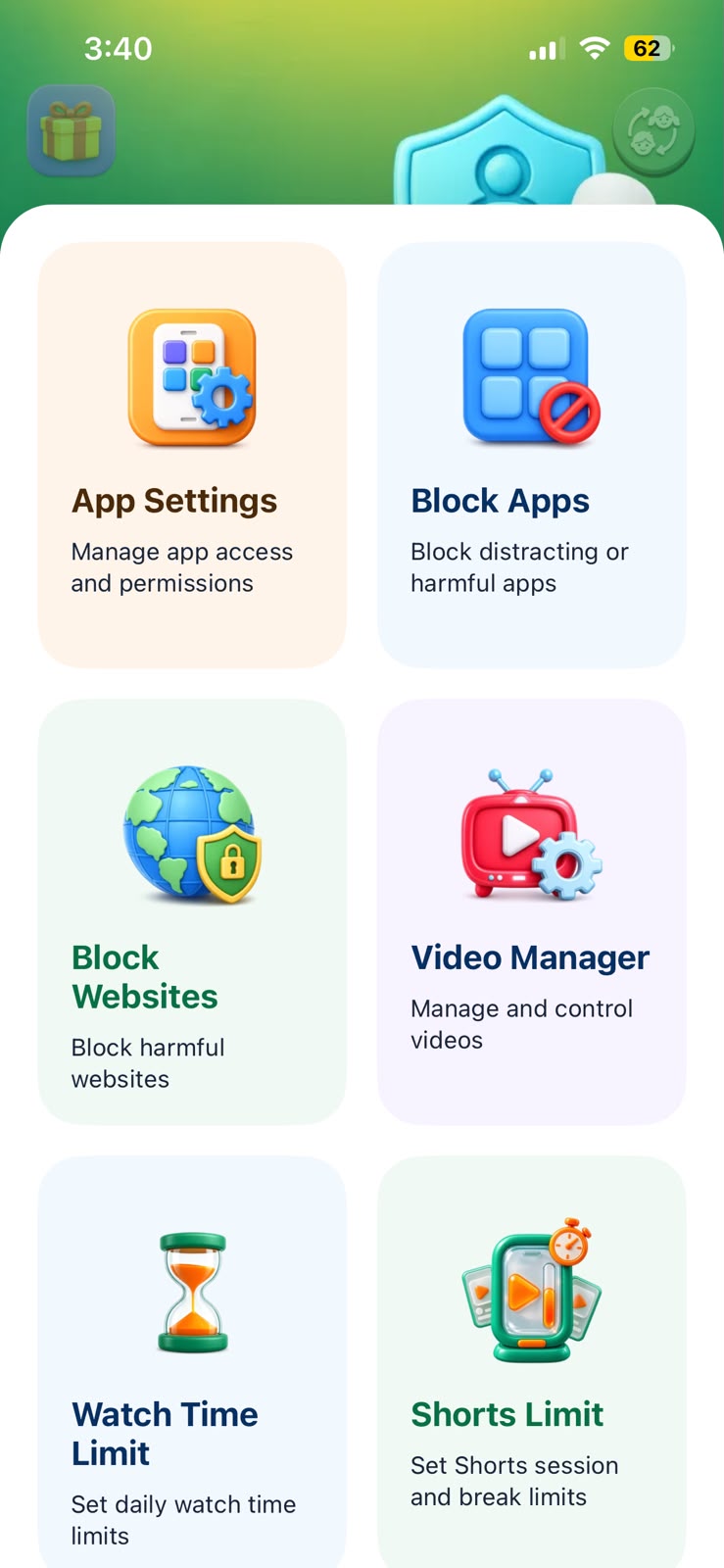
Open the Parental Dashboard
Open Kahf Kids on your phone as the parent. Go to the Parental Dashboard.
Every control for your child’s device lives here.
If you are asked for a PIN, enter it. Keep it private. A child who knows it can undo the block.

Step 1: the Parental Dashboard. -
Tap App Blocker
Inside the dashboard, tap App Blocker.
This controls which apps can open on your child’s phone.
It works on the whole app, not on single videos. You are removing YouTube, not filtering it.
Step 2: App Blocker. -
Tap Block Apps
Tap Block Apps.
You will see the apps on your child’s phone, sorted into categories.
Scan the list while you are here. You may spot apps you did not know were installed.
Step 3: Block Apps. -
Open the Entertainment or Search category
Open the Entertainment category.
On some phones, YouTube is listed under Search instead. Check both if you do not see it.
Look for other video apps here too. Blocking only one leaves the door open.
Step 4: pick the category that holds YouTube. -
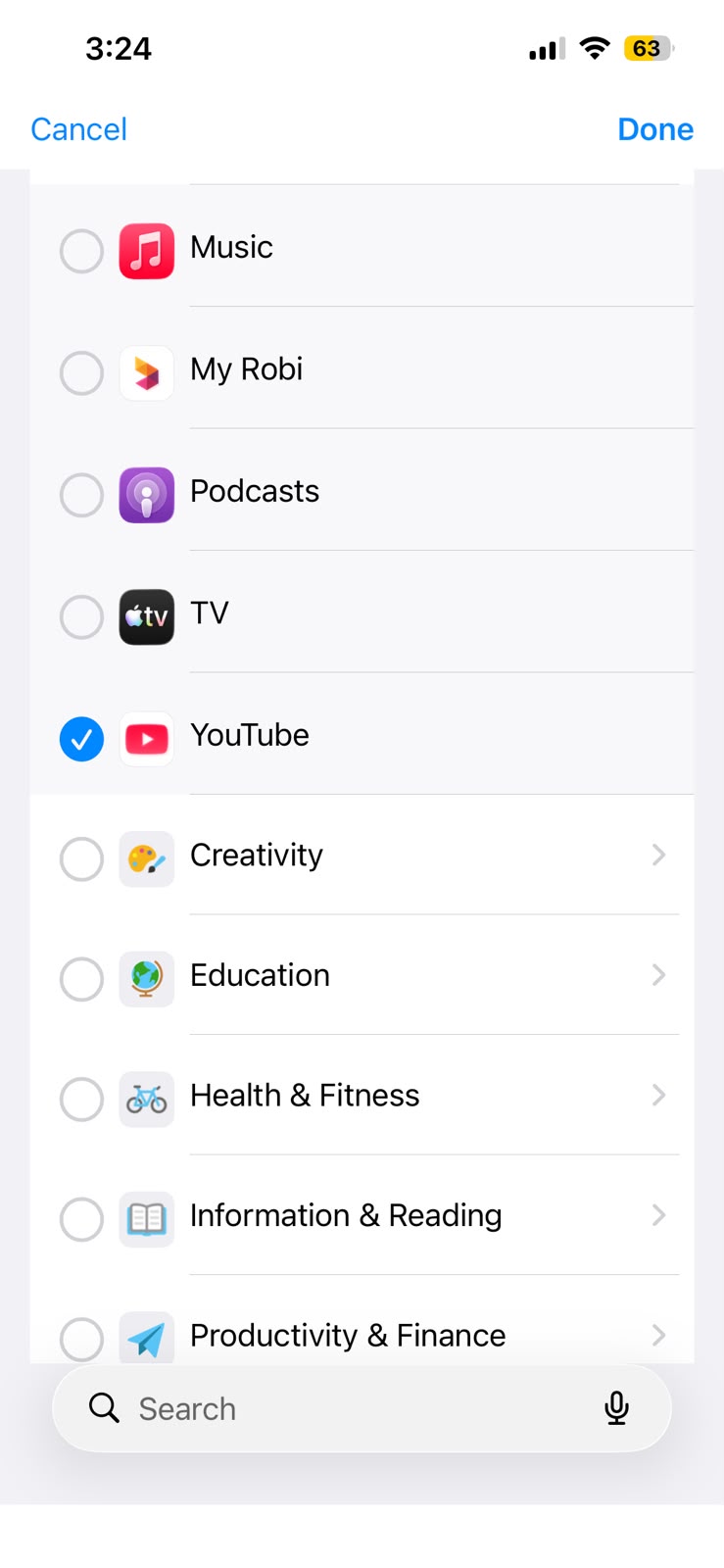
Select YouTube
Find YouTube in the list and select it.
The app is now marked as blocked.
If YouTube Music or YouTube Kids is installed, select those too, unless you want to keep them.
Step 5: YouTube selected. -
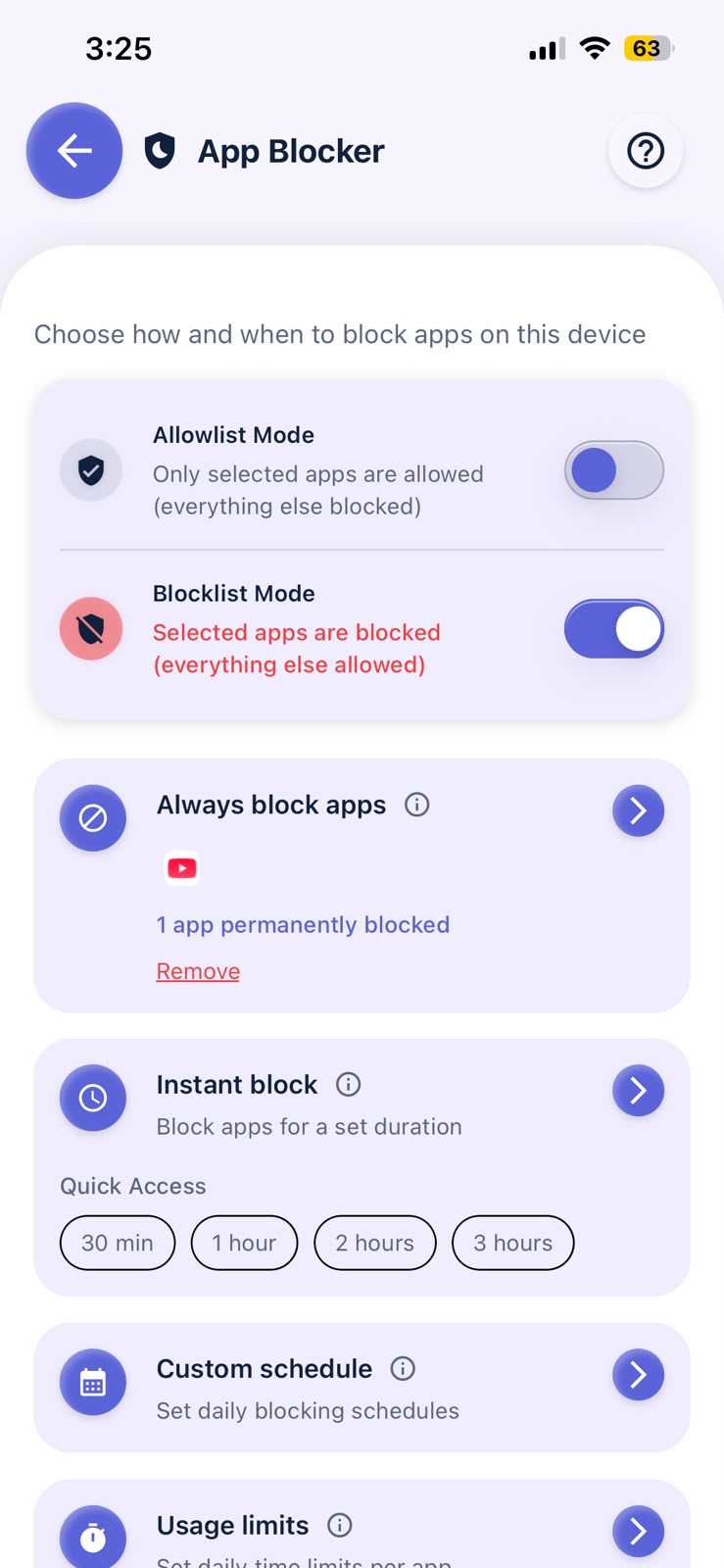
Go back and check
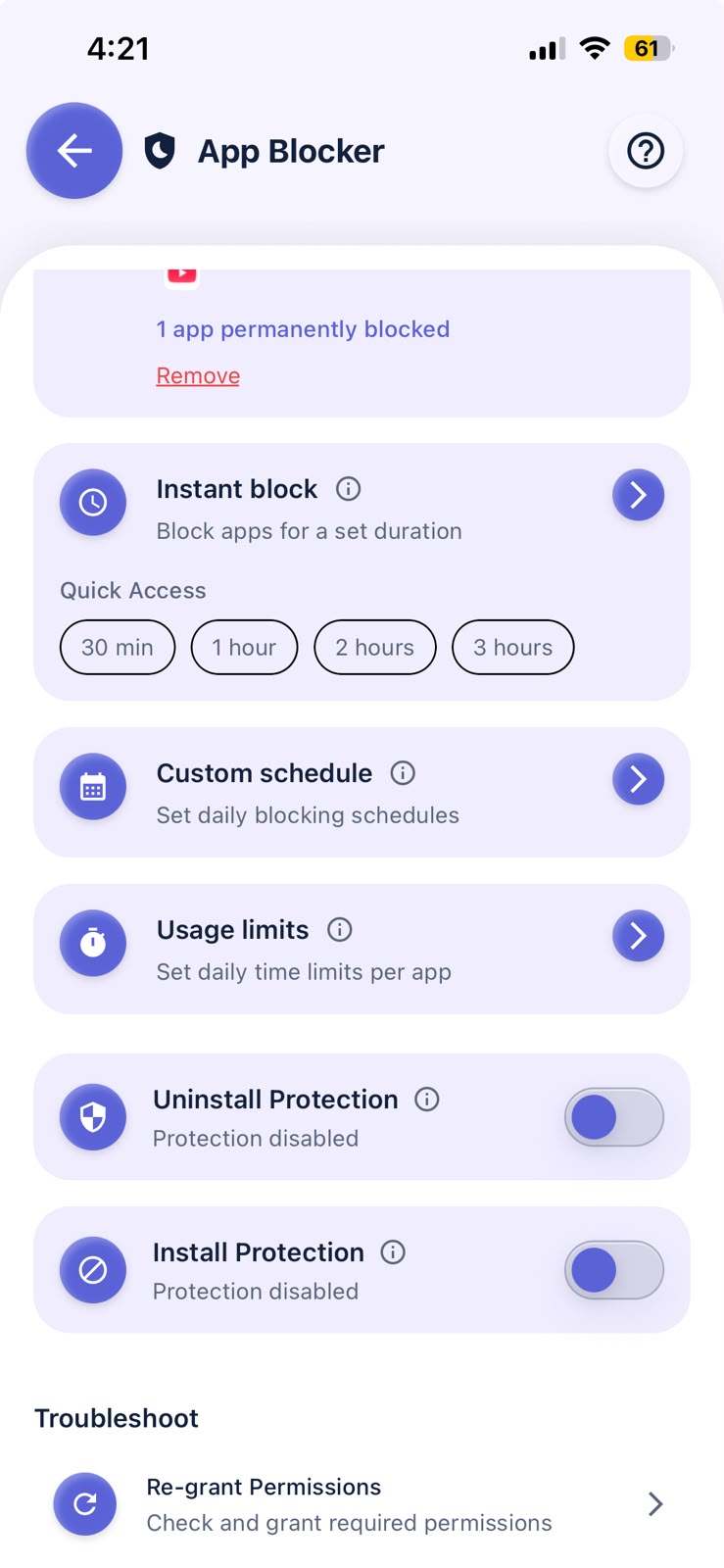
Go back to the App Blocker screen. Confirm YouTube is on the blocked list.
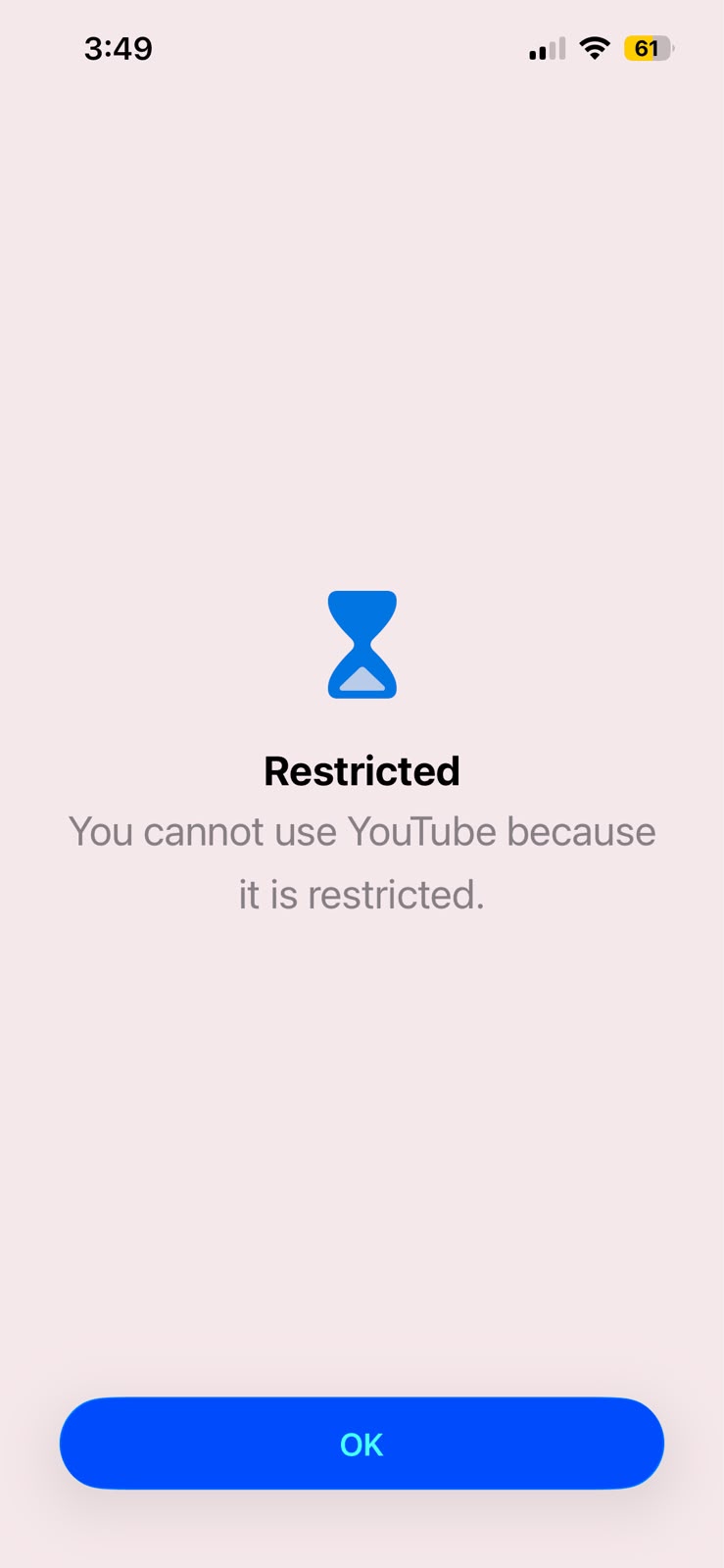
Then pick up your child’s phone and try to open YouTube yourself.
If it does not open, the block is working. If it still opens, use the checks below.
How to Check YouTube Is Blocked on Your Kids Phone
The fastest way to check is to test it on your child’s phone. Do these four checks right after you set the block.
- Tap the YouTube icon. It should not open.
- Go to youtube.com in the browser. An app block may not cover the website. More on this below.
- Search the app store for YouTube. See if your child can install it again, or install another video app.
- Restart the phone. Then try YouTube again.
If YouTube still opens: make sure Kahf Kids is set up on your child’s phone with the permissions it asked for. Check the phone is online so the dashboard can sync. Then repeat steps 3 to 6.
Other Ways to Block YouTube on a Kids Phone
You can also use the tools built into Android and iPhone, or your home router.
They work, but each has limits. Here is how they compare.
| Method | Works on | Blocks the app | Blocks the website | Islamic alternative |
|---|---|---|---|---|
| Kahf Kids App Blocker | Your child’s phone | Yes | Test it, and block browsers if needed | Yes, mufti-reviewed library |
| Google Family Link | Android | Yes | Yes, in Chrome only | No |
| Apple Screen Time | iPhone and iPad | Yes | Yes, with website filtering | No |
| Router or DNS block | Home Wi-Fi only | Yes, on Wi-Fi | Yes, on Wi-Fi | No |
Swipe the table sideways to see all columns.
Block YouTube on an Android kids phone with Family Link
Open Family Link and choose your child. Go to Screen time, then Time limits, then App limits. Select YouTube and switch it from Allowed to Blocked.
To block the website too, go to Controls, then Google Chrome and Web, and add youtube.com to Blocked sites. This covers Chrome only.
Google explains this in its guide to managing your child’s Google Play apps. Your child needs a supervised Google Account.
Block YouTube on a kids iPhone with Screen Time
On your iPhone, go to Settings, then Family, then your child’s name, then Apps & Websites. Select YouTube and tap Block App.
To limit websites, use Filtering in the same area.
Apple covers the steps in its parental controls guide. You need Family Sharing set up, and your child needs their own Apple Account.
Block YouTube at the Wi-Fi router
Many routers let you block websites by name. Blocking youtube.com there stops it on every device on your Wi-Fi.
The catch: once your child switches to mobile data, the block is gone. Use it as an extra layer, not the only one.
Block the YouTube App vs the YouTube Website
Blocking the YouTube app does not always block the website. This is the gap most parents miss.
A child who finds the app blocked will often open a browser and type youtube.com.
Close the gap in three ways:
- Test it. Open the browser on your child’s phone and try youtube.com.
- Block browsers they do not need. Young children rarely need one. You can block browser apps in the same Block Apps screen.
- Add website filtering. See how to block haram content on your child’s phone.
Dealing with games too? The steps for blocking Roblox on your kid’s phone follow the same pattern.
Is YouTube Kids Enough, or Should You Block YouTube on the Kids Phone?
YouTube Kids is safer than the main app. But it still runs on recommendations, and it is not reviewed with Islamic values in mind.
It relies heavily on automated filters, and its review is not built around Islamic values. Music, unsuitable themes and content that treats religion lightly can still appear.
Ask one question. Who decides what my child sees next? On YouTube Kids, it is still mostly the system.
For a deeper look, read how to find safe content for Muslim children.
What to Give Your Child After You Block YouTube on Their Phone
A block with nothing behind it often ends in boredom, arguments or a hunt for workarounds. Give your child something good in its place.
Kahf Kids fills that space with a library built for Muslim children.
A dedicated mufti team reviews every piece of content by hand before it goes in. Nothing gets in on an automated check alone.
There is no open search, no algorithm, no comments and no messaging.
Inside the Kids Panel, your child can find:
- Videos, Shorts and Playlists on Quran, stories, nasheeds, science and festivals.
- Qur’an, Dua for Kids and Asmaul Husna.
- Games and Draw Pad.
- Courses on Kahf Kids Learn.
- My Videos, where you add videos you chose yourself.
Need more ideas? Try our lists of halal videos for kids, Islamic stories for kids, Quran apps for kids and the best Islamic apps for kids.
Teaching at home? Our guide to Islamic homeschool resources shows how safe screens fit into a school day.
Should You Block YouTube on a Kids Phone? A Guide by Age
Most families block YouTube fully for young children. They move to limited, supervised use as the child grows.
Use this as a starting point. You know your child best.
| Age | YouTube setting | What to use instead | Parent role |
|---|---|---|---|
| 2 to 5 | Block fully | A short, parent-chosen playlist | Sit with them while they watch |
| 6 to 9 | Block fully | Reviewed Islamic videos and games | Choose content together each week |
| 10 to 12 | Block on their own phone | Reviewed library plus courses | Watch any YouTube together |
| 13 and up | Your family’s decision | Keep a reviewed library available | Agree rules and review them |
Swipe the table sideways to see all columns.
Mistakes to Avoid When You Block YouTube on a Kids Phone
- Forgetting the browser. The app is blocked, but youtube.com still loads.
- Blocking one video app only. Check the whole Entertainment category.
- Sharing the parent PIN. Children notice when you type it. Change it if needed.
- Never checking again. Test after phone updates and new installs.
- Giving nothing in return. Have a better option ready on the same phone.
- Doing it in secret. Children who know the reason push back less.
How to Talk to Your Child About Blocking YouTube
Tell your child before you block YouTube. A short, calm talk works better than a surprise.
Keep it simple. Some apps are designed to keep people watching, even when it is not good for them.
Explain that you protect what they see, the same way you protect what they eat.
Link it to Islamic values. We guard our eyes and our time because both are an amanah from Allah.
Then show them what they can still enjoy. Let them pick their first few videos in the new app. A small say makes the change feel shared.
Common Questions About Blocking YouTube on Kids Phones
Does blocking the YouTube app also block the website?
Not always. An app block stops the YouTube app, but a browser can still load youtube.com. Test the website on your child’s phone, and block browser apps your child does not need.
Is YouTube Kids safe for Muslim children?
It is safer than regular YouTube, but it relies heavily on automated filters and is not reviewed with Islamic values in mind. Many Muslim parents prefer a library reviewed by a mufti team before any content goes live.
Can my child unblock YouTube by themselves?
Not without the parent PIN or parent account. Keep your PIN private, and check the blocked list after phone updates.
Block YouTube. Keep the good content.
Kahf Kids blocks YouTube in six taps and gives your child a mufti-reviewed Islamic library in its place.