Roblox is one of the most popular games among children — and one of the hardest for parents to manage. Between open chat with strangers, in-app purchases (Robux), and endless user-generated games, many parents decide the safest option is to block Roblox completely on their child’s phone.
The good news: you can block Roblox on both Android and iPhone in under two minutes using the Kahf Kids parental control app. The steps are identical on both platforms, the setup is PIN-protected, and your child cannot bypass or uninstall the block.
Quick answer: Open the Kahf Kids app → Parent Panel → Block Apps → turn on Blocklist Mode → tap Always block apps → select Roblox under Games → tap Done. Roblox is now permanently blocked, and your child will see a “Restricted” screen if they try to open it. The process is the same on Android and iPhone.
Before You Start: Install Kahf Kids
Install Kahf Kids from the App Store or Play Store on the device you’ll give to your child. If your kid doesn’t own a phone yet, it can be your own device too.
During setup, Kahf Kids will guide you through granting the required parental permissions and creating your parent PIN — every setting is PIN-protected, so your child cannot change the setup.
How to Block Roblox on Your Kid’s Phone: Step-by-Step
Follow these steps on your child’s device. The process is exactly the same on Android and iPhone. Total time: about 2 minutes.
Step 1: Open the App Blocker
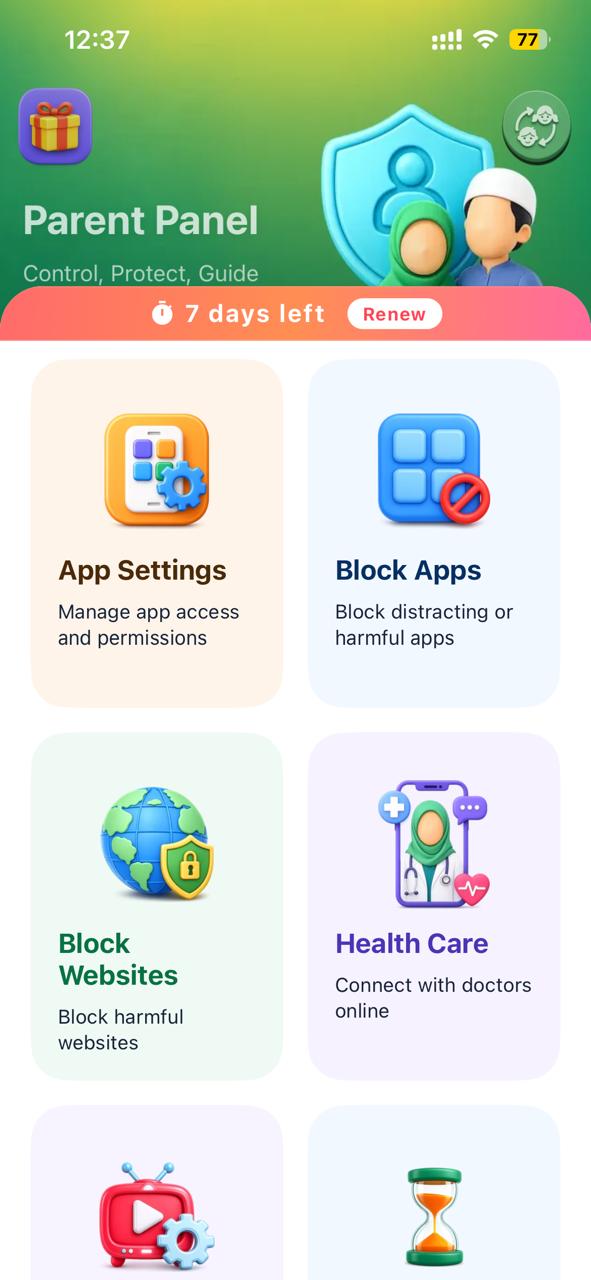
Kahf Kids app → Parent Panel → Block Apps
Open Kahf Kids on your child’s phone and enter the Parent Panel with your PIN. Tap the Block Apps card (“Block distracting or harmful apps”). This opens the App Blocker screen.
Step 2: Turn On Blocklist Mode
App Blocker → Blocklist Mode → toggle ON
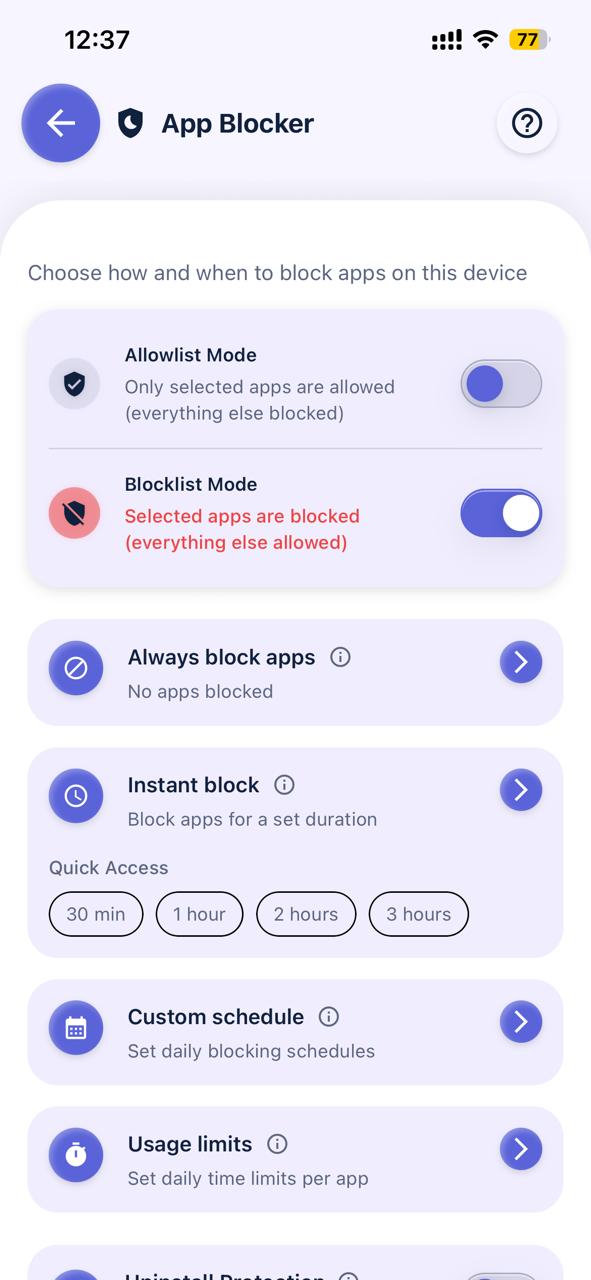
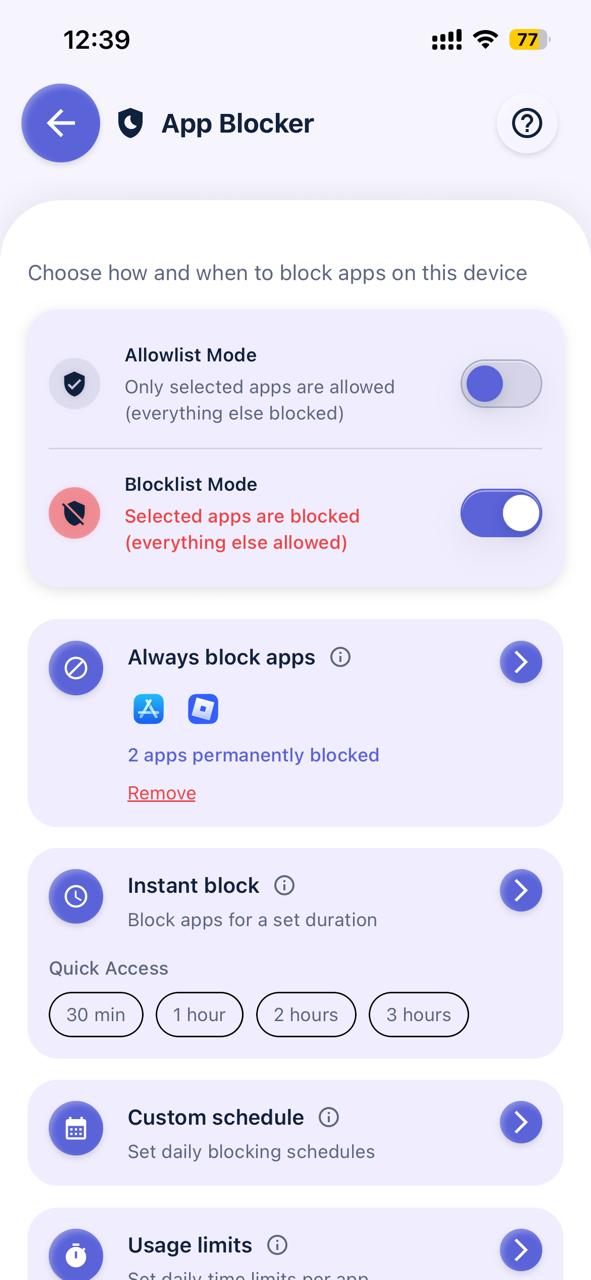
You’ll see two modes at the top of the App Blocker screen:
- Allowlist Mode: only apps you approve are allowed — everything else is blocked.
- Blocklist Mode: only the apps you select are blocked — everything else stays available.
To block just Roblox, turn on Blocklist Mode. The status text turns red and confirms “Selected apps are blocked (everything else allowed).”
Step 3: Add Roblox to Always Block Apps
Always block apps → Games → Roblox → Done
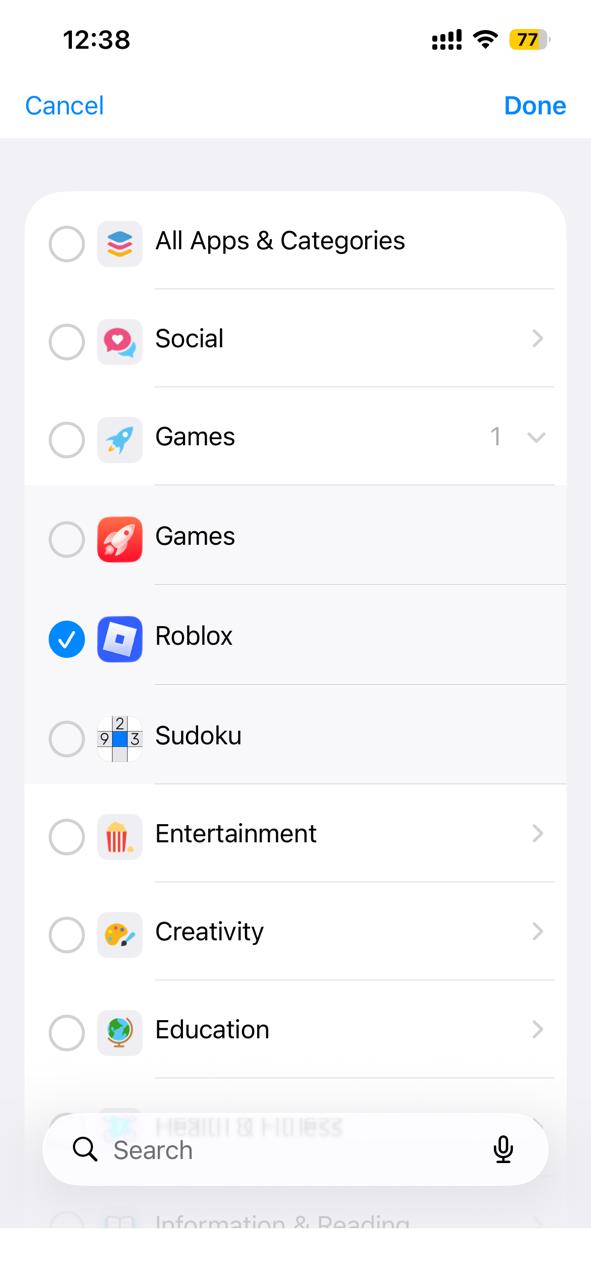
Tap Always block apps. The app picker opens with categories like Social, Games, Entertainment, and Education. Expand the Games category, tick Roblox, then tap Done in the top-right corner.
Back on the App Blocker screen, you’ll see the Roblox icon with the confirmation: “1 app permanently blocked.”
Step 4 (Recommended): Block the App Store / Play Store Too
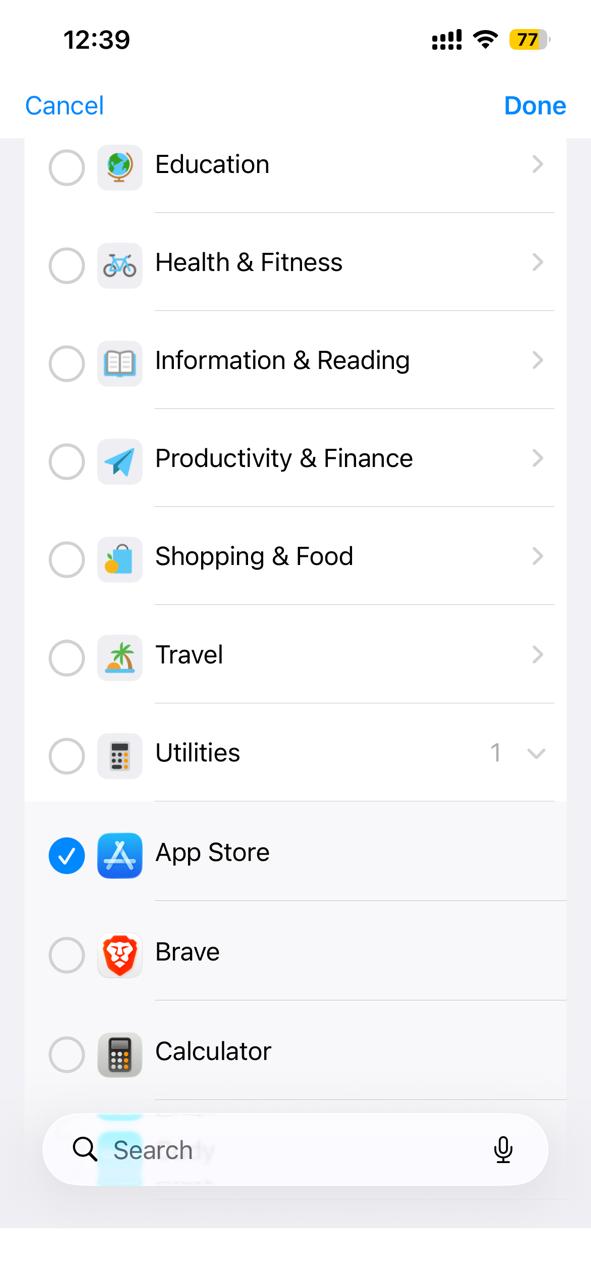
Always block apps → Utilities → App Store / Play Store → Done
Smart kids delete a blocked app and reinstall it — or download a similar one. To close that loophole, repeat Step 3 and also select the App Store (iPhone) or Play Store (Android) under Utilities. The panel will now show “2 apps permanently blocked.”
Step 5: Turn On Uninstall Protection
App Blocker → Uninstall Protection → toggle ON
Scroll down on the App Blocker screen and enable Uninstall Protection. Together with App Guard and your parent PIN, this makes sure your child cannot delete Kahf Kids from the device to escape the block. You can also enable Install Protection to prevent new app installations entirely.
Step 6: Test the Block
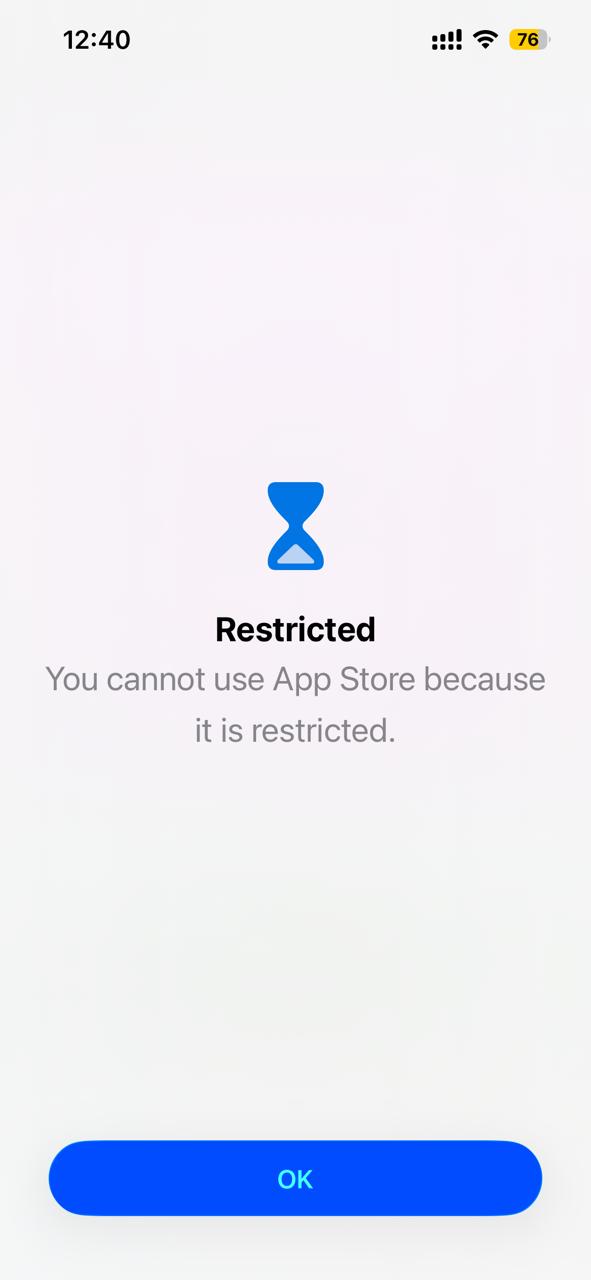
Before handing the phone back, tap the Roblox icon yourself to confirm the block is working. Instead of the game opening, the phone shows a full-screen message:
“Restricted — You cannot use Roblox because it is restricted.”
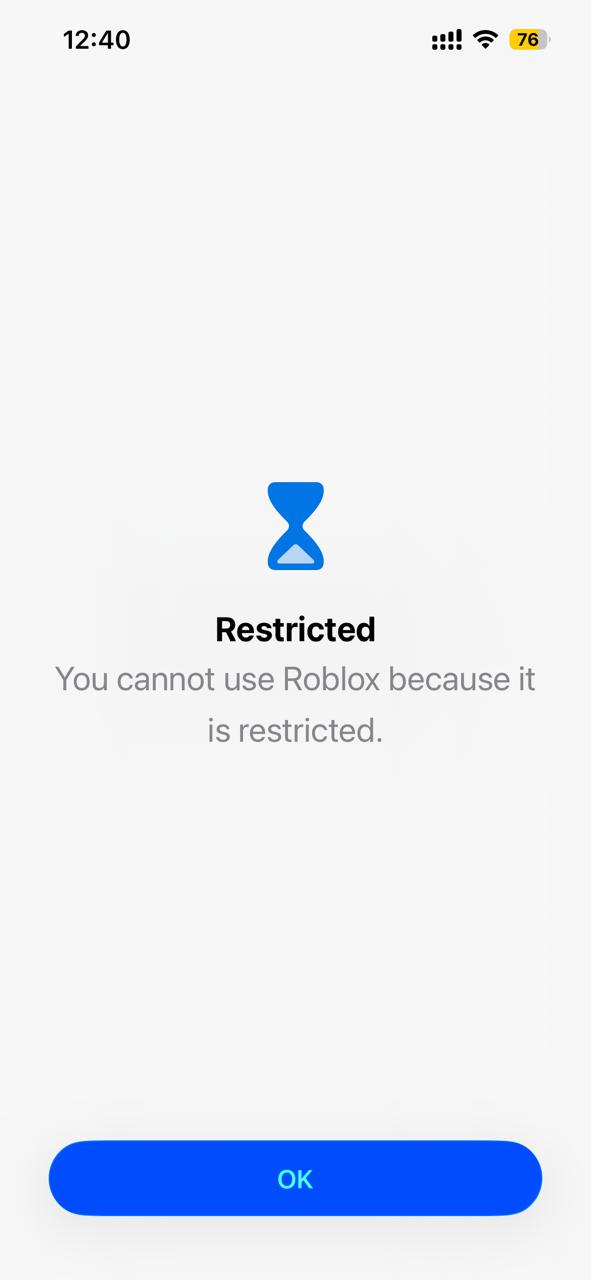
The same screen appears if they try to open the App Store or Play Store. The block is now active 24/7 until you remove it from the Parent Panel.
Don’t Want a Permanent Block? Use These Options Instead
Blocking Roblox forever isn’t the right fit for every family. Kahf Kids gives you three softer alternatives on the same App Blocker screen:
| Option | What it does | Best for |
|---|---|---|
| Instant Block | Blocks apps for a set duration — 30 min, 1, 2, or 3 hours | Homework time, family meals, bedtime |
| Custom Schedule | Blocks Roblox automatically at the same times every day | School hours, prayer times, sleep |
| Usage Limits | Sets a daily time allowance per app (e.g., 30 minutes of Roblox) | Teaching balanced screen habits |
Many parents start with usage limits and move to a full block only if the limits are constantly fought over.
Is Roblox Safe for Kids in 2026?
Roblox now has over 130 million daily active users, and roughly a third of them are under 13. That scale has made child safety on the platform a national issue:
- Over 160 lawsuits: As of mid-2026, more than 160 lawsuits have been consolidated in a federal case (MDL 3166) alleging Roblox failed to protect children from predators and grooming.
- State legal action: The Texas Attorney General sued Roblox in late 2025, Los Angeles County followed in 2026, and Roblox has paid over $35 million in settlements with states including Nevada, Alabama, and West Virginia to improve safety.
- New safety rules: Roblox now requires facial age verification for chat and is rolling out age-tiered accounts (Roblox Kids for ages 5–8, Roblox Select for ages 9–15), with chat disabled by default for children under 9.
These changes are real progress — but child-safety experts warn that age verification is not the same as safety. Predators adapt, moderation cannot review millions of user-generated games, and Robux spending and screen-time addiction remain unchanged. That is why many parents still choose the simplest solution: blocking Roblox entirely.
Why Parents Block Roblox
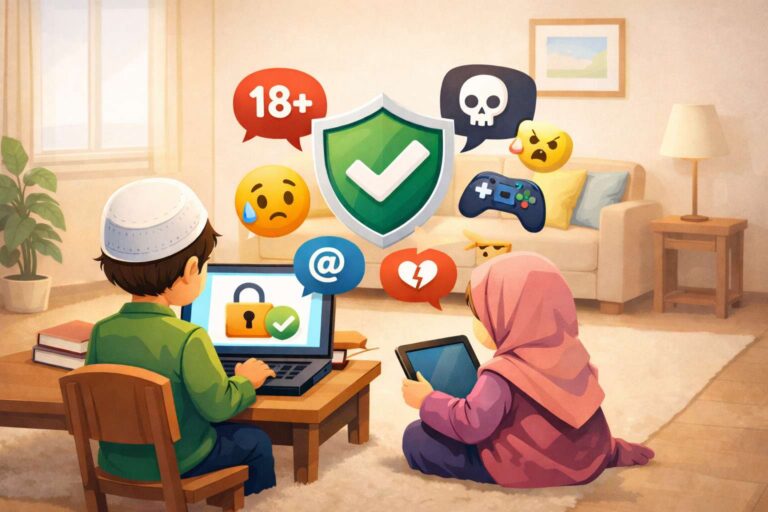
- Chat with strangers: Even with 2026’s new age checks, in-game chat remains the main channel predators have used to contact, groom, and exploit children — the core allegation in the ongoing lawsuits.
- Inappropriate user-generated content: Millions of experiences are created by users, and moderation cannot catch everything.
- In-app spending: Robux purchases can quickly add up on a linked payment method.
- Screen-time addiction: Roblox is designed to keep kids playing, often at the cost of sleep, study, and prayer time.
If your concern goes beyond one game, read our full guide on how to block haram content on your child’s phone.
Give Your Child Something Better Than Roblox
A block works best when it’s paired with good alternatives. Instead of leaving a gaming-shaped hole in your child’s day, redirect them to healthier options:
- Explore our list of safe and educational games for kids that don’t have open chat or gambling-style mechanics.
- Try the best educational and Islamic apps, videos, and games for kids.
- Replace screen junk food with halal videos for kids and Quran apps for kids.
And if Roblox is only one of your worries, our guide on how to block inappropriate content and ensure a safe internet for kids covers browsers, websites, and search filtering.
FAQ: Blocking Roblox on Kids’ Phones
Is Roblox safe for kids in 2026?
Safer than before, but not risk-free. Roblox added facial age verification and age-tiered accounts in 2026 after 160+ lawsuits and $35M+ in state settlements, yet experts warn verification does not stop all predators, inappropriate content, or spending risks. Blocking or strictly limiting the app remains the most reliable protection.
Is the process different on Android and iPhone?
No. Kahf Kids uses the same App Blocker flow on both platforms: Parent Panel → Block Apps → Blocklist Mode → Always block apps → select Roblox → Done.
Can my child uninstall Kahf Kids to unblock Roblox?
No. Kahf Kids is protected by your parent PIN, and Uninstall Protection plus App Guard prevent the app from being deleted from the device without parental approval.
Can my child reinstall Roblox from the App Store or Play Store?
Only if the store is left unblocked. Add the App Store (iPhone) or Play Store (Android) to your Always Block list, or turn on Install Protection, and reinstalling becomes impossible.
Can I block Roblox only during certain hours instead of permanently?
Yes. Use Custom Schedule to block it daily during school, prayer, or sleep hours, or Usage Limits to cap Roblox at a set number of minutes per day.
What happens when my child tries to open blocked Roblox?
They see a full-screen “Restricted” message — “You cannot use Roblox because it is restricted” — and the app will not open. No workaround is available on the child’s side.
Should I block other apps too, like Snapchat?
Social apps carry many of the same risks as Roblox chat. Read our guide Is Snapchat Safe for Kids? before deciding, and see our roundup of the best Islamic apps for kids for positive replacements.
Final Thoughts
You don’t need to wait for Roblox to fix its safety problems — two minutes with Kahf Kids and the decision is back in your hands, on Android and iPhone alike.
And remember: blocking works best as part of a bigger plan. Set daily screen-time limits so devices don’t fill every free hour, and guide your child toward safe games, Islamic apps, and halal videos they’ll actually enjoy. With healthy limits and better alternatives in place, the change becomes far easier — for them and for you.